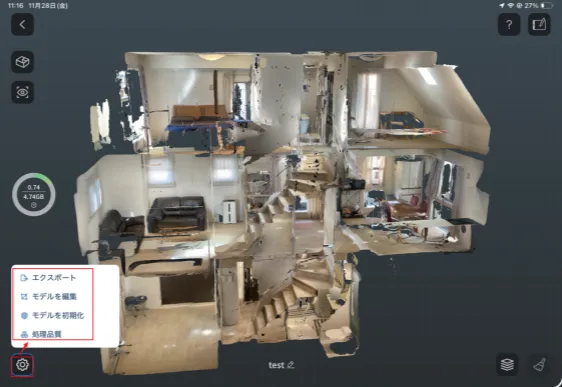
nat株式会社は、空間3Dスキャンアプリ「Scanat(スキャナット)」の最新バージョン v2.1.0 をリリースいたしました。
本バージョンより、ネットワーク接続を行わない完全オフライン仕様版をリリースしました。
外部通信が許可されていない環境においても、安全にご利用いただけます。
【リリース内容】
🔵オフライン利用への対応
ネットワークに接続しない状態(オフライン)でもScanatの主要機能が利用可能になりました。
すべてのモデルデータは端末(iPad/iPhone)内にのみ保存され、外部通信は一切行われません。
そのため、クラウド利用が制限される環境でも安心してご導入いただけます。
(※アプリのインストールおよびアップデート時のみ、Apple App Storeへの接続が必要です)
🔵オフライン環境でのデータ転送方法
オフライン環境で取得・エクスポートした3Dデータは、外部ネットワークを使わずに各PCへスムーズに転送いただけます。
・Mac:
Scanatの「エクスポート」機能とAppleの「AirDrop」を利用し、直接Macで出力可能
有線出力にも対応
・Windows PC:
PC側に「Appleデバイスアプリ」をインストールすることで、iPadからWindows PCへオフラインでファイル転送が可能
・USBメモリ:
Mac・Windowsいずれの環境でもファイル移動が可能
(※貴社のセキュリティポリシーでUSBポートの利用が許可されている場合のみ)
🔵その他
・オフライン時の主要機能網羅: スキャン(ノーマル/間取り)、モデルの閲覧・編集、計測、フォルダ管理などが通信なしで利用可能です。
・不具合修正: 安定した動作環境を提供するため、軽微な不具合の修正を行いました。
【アプリのアップデートをお願いいたします】
新機能・不具合修正を反映するには、以下のリンクより最新版(v2.1.0)へのアップデートをお願いいたします。
[ > App StoreでScanatをアップデートする ]
(※未導入のお客様で、自社のセキュリティ要件に適合するか確認したい方は
[ > こちらからお問い合わせ ] ください)
今後もScanatをより使いやすく、安心してご利用いただけるサービスとして進化させるため、継続的な機能拡充と品質改善に努めてまいります。
是非今回のアップデート機能をご活用ください。