This series began in response to feedback from users who, despite having adopted 3D scanning, said, “We don’t know how to make use of the scanned models.”
The latest video in this three-part series focuses on two common on-site challenges: " how to draw scaffolding layout diagrams " and " how to accurately depict vehicles."
By applying these techniques, you can dramatically reduce the time it takes to gather materials from subcontractors and obtain quotes.
In this article, we’ll share some practical tips that can make your work surprisingly smooth in situations where you need to accurately visualize the current status—such as when applying for a road use permit at a police station.
Theme 3: Instantly visualize the current status of both scaffolding and vehicles
By utilizing Scanatmeasurement lines, the following on-site challenges can be resolved instantly, dramatically reducing work time.
♦︎Accurate and quick measurement of road widths
Accurate measurement of the "road width (distance between the inner edges of the curbs)" is required when applying for a road use permit.
Scanat, you can visualize the width from curb to curb and road occupancy regulations directly on the screen.
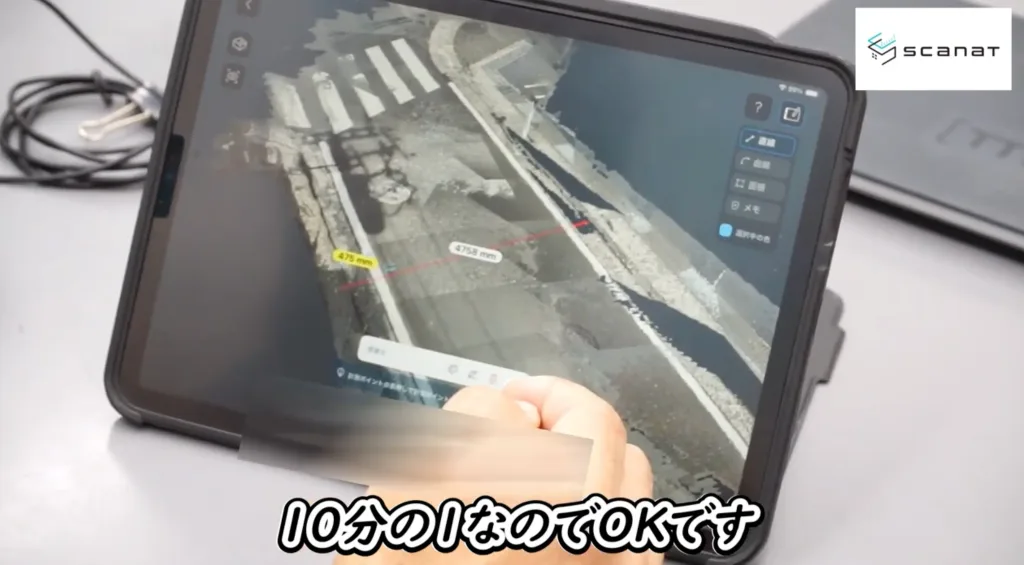
"If the road is 4.75 meters wide, you can extend the scaffolding up to 0.475 meters—one-tenth of that width—toward the roadside.
The fact that you can instantly tell at a glance what’s allowed and what isn’t makes this extremely convenient on-site."
Before heading to the site, you can accurately determine the dimensions required for the road use permit application on the spot, ensuring a smooth application process without any rework.
♦︎Create a rough sketch of your scaffolding in just a few taps
Scaffolding layout diagrams, which are crucial for construction planning, can also be easily created by utilizing Scanat measurement lines.
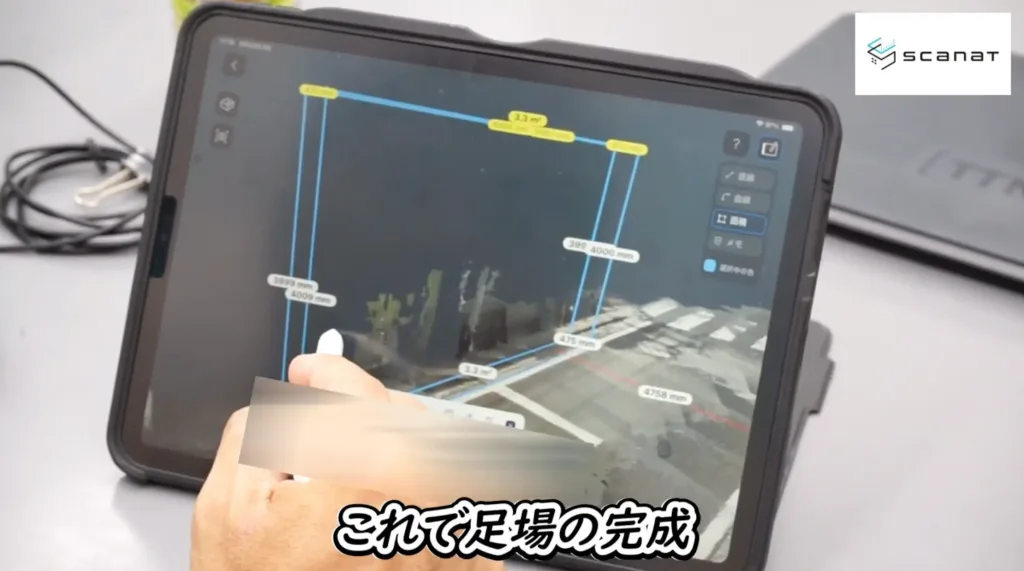
"The key point is that while you can sketch things out intuitively and quickly, anyone—whether it’s a site supervisor, a subcontractor, or anyone else—can create drawings with the same level of precision."
Anyone can create scaffolding layout plans with the same level of accuracy in just a few taps, eliminating communication errors with subcontractors and significantly reducing the time required to obtain quotes.
♦︎Drawing cars is easy, from 2D to 3D
Vehicle representations are essential for explaining parking locations and sharing traffic flow plans.
Scanat, you can instantly create vehicles within 3D models based on numerical data.
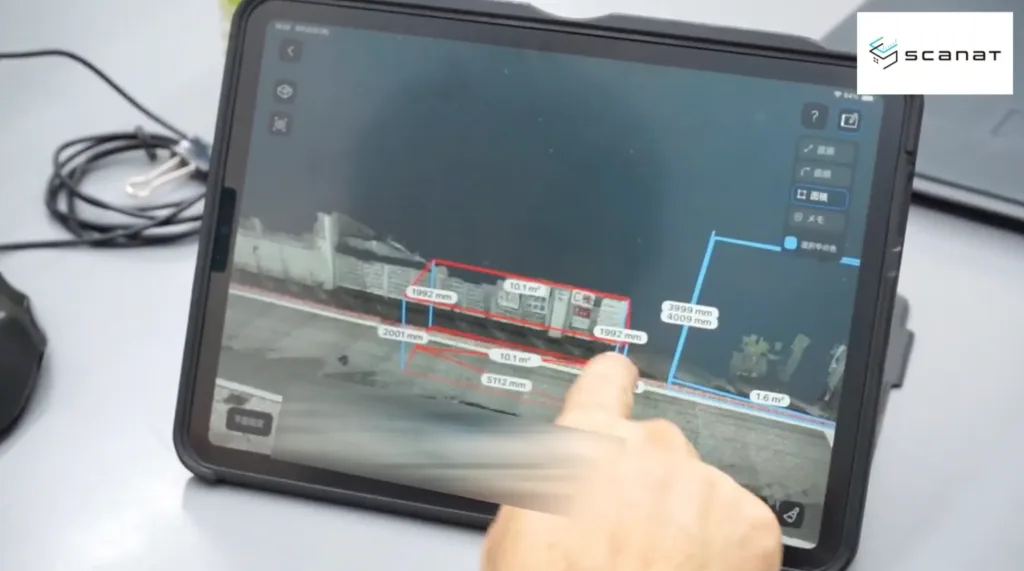
"While it can be difficult to convey a sense of a vehicle's height or the feeling of its presence using only 2D renderings,
presenting it in 3D makes it significantly easier to explain to our partners and clients."
By sharing a three-dimensional representation of the vehicle’s height and sense of scale, it becomes easier to manage safety on-site and explain the design to the client, making it simpler to convey the intended image.
▼Click here for the third installment in the series
- Tips for Completing a Road Use Permit Application in a Flash
- Methods for Representing Scaffolding Using Measurement Lines
- How to Share Vehicles in a Three-Dimensional Way
In Part 4, our theme is "Preventing On-Site Chaos!"…
- How should we approach renovating a bathroom adjacent to a staircase on a site without blueprints?
- Use color-coding and note-taking features to clearly visualize requests, equipment requirements, and the scope of protective measures
- Let’s visualize worker traffic patterns to eliminate confusion during construction
We will continue to share specific examples, such as these, that help make it easier to understand and share the situation on-site.
Archive Information
In the first and second installments of this series, we introduce practical tips that are truly useful in the field.
・Part 1: "Sharing Information with Internal Teams and Partner Companies Using the Note Feature"
・Part 2: "Layout Planning for Temporary Facilities and Calculating the Quantity of Water Supply Piping"
If you haven't seen it yet, please be sure to watch it.
▶︎Learn from Mr. Yoshigaki! Click Scanat for " Tips for Using Scanat at #1"
▶︎Learn from Mr. Yoshigaki! Click here for " Tips for Using Scanat Part 2 "
▶︎Case Study: How Yoshigaki Construction Co., Ltd. Uses Scanat