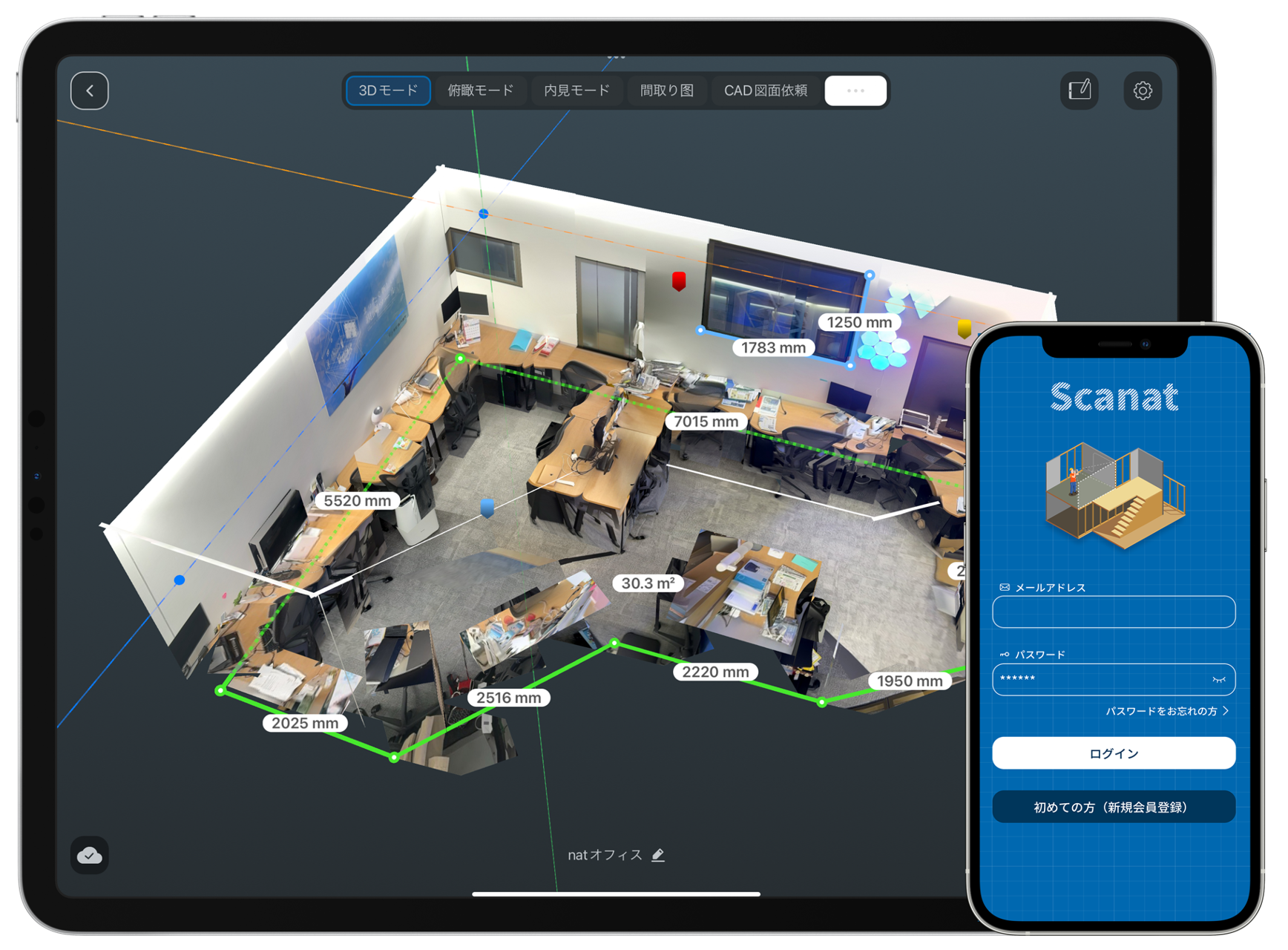
nat (CEO: 劉 栄駿 ) is pleased to announce the release of v1.1.0, a major update to its 3D measurement app “ Scanat.”
Since its release in late January 2022, we have received positive feedback from customers—such as “On-site survey times have been drastically reduced” and “We were able to turn a project that we had accepted expecting a loss into a profitable one Scanat ”—while also receiving numerous requests for additional app features and suggestions for improvements. With this major update, we are releasing new features that allow anyone to easily capture, share, and manage spatial information, significantly improving the efficiency of on-site surveys and communication related to those sites.
■Introducing New Features
In response to customer feedback, we will be rolling out an update starting in June 2023 that includes changes to the app design and the addition of new features. This app is designed for use not only by those in the construction and real estate industries but also by anyone involved in space design. Below are some of the new features.
① Automatic Conversion of Floor Plans
You can automatically convert 3D models created in “Floor Plan Scan*” mode into floor plan drawings. This is useful for creating as-built drawings in projects where no existing drawings are available. We are also developing a feature that allows you to instantly generate simple drawings with dimensions (in DXF format) simply by clicking the output button.
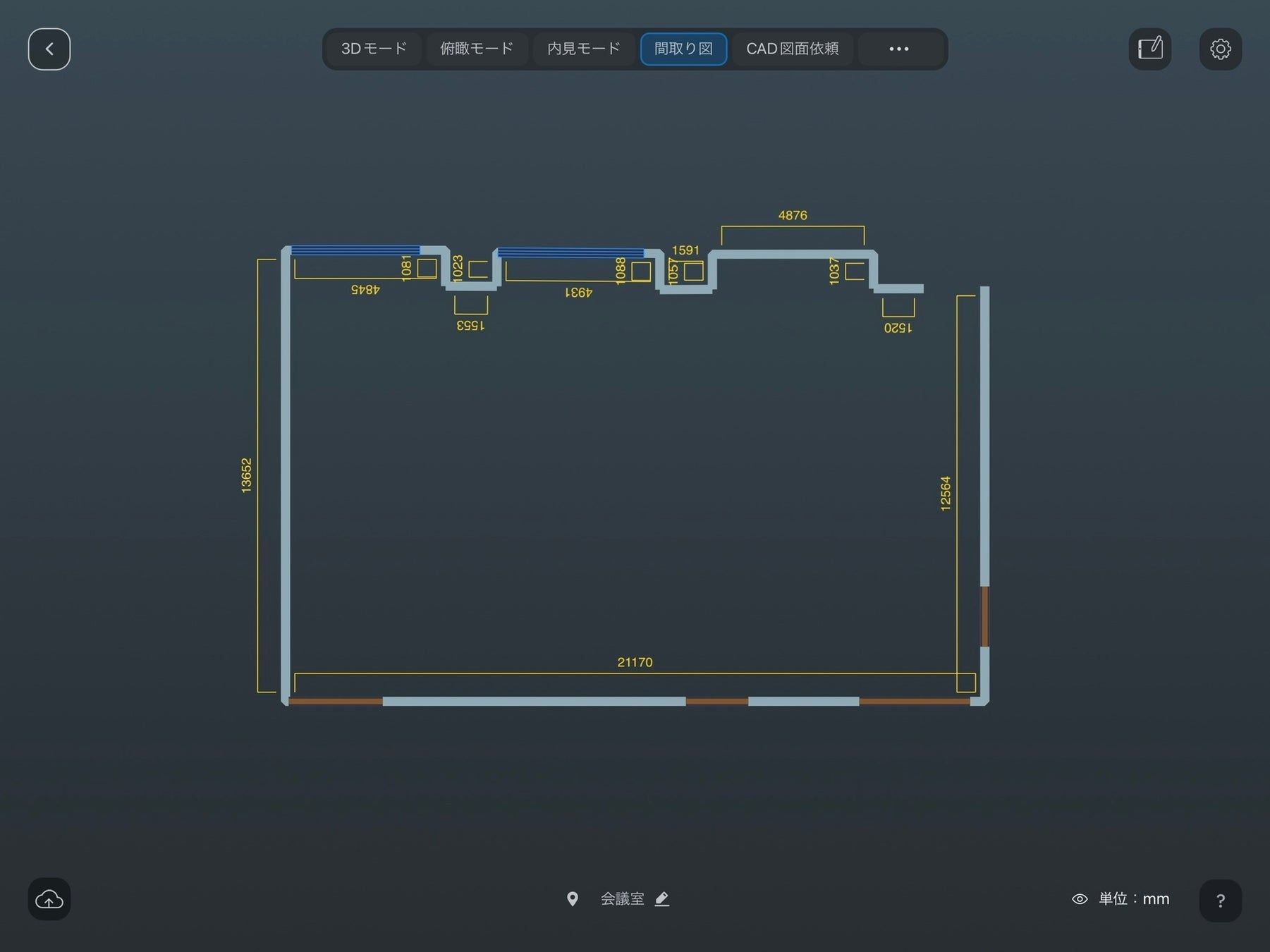
*Floor Plan Scan: A scan mode that recognizes walls, doors, and other features, allowing you to easily create a 3D model resembling a floor plan
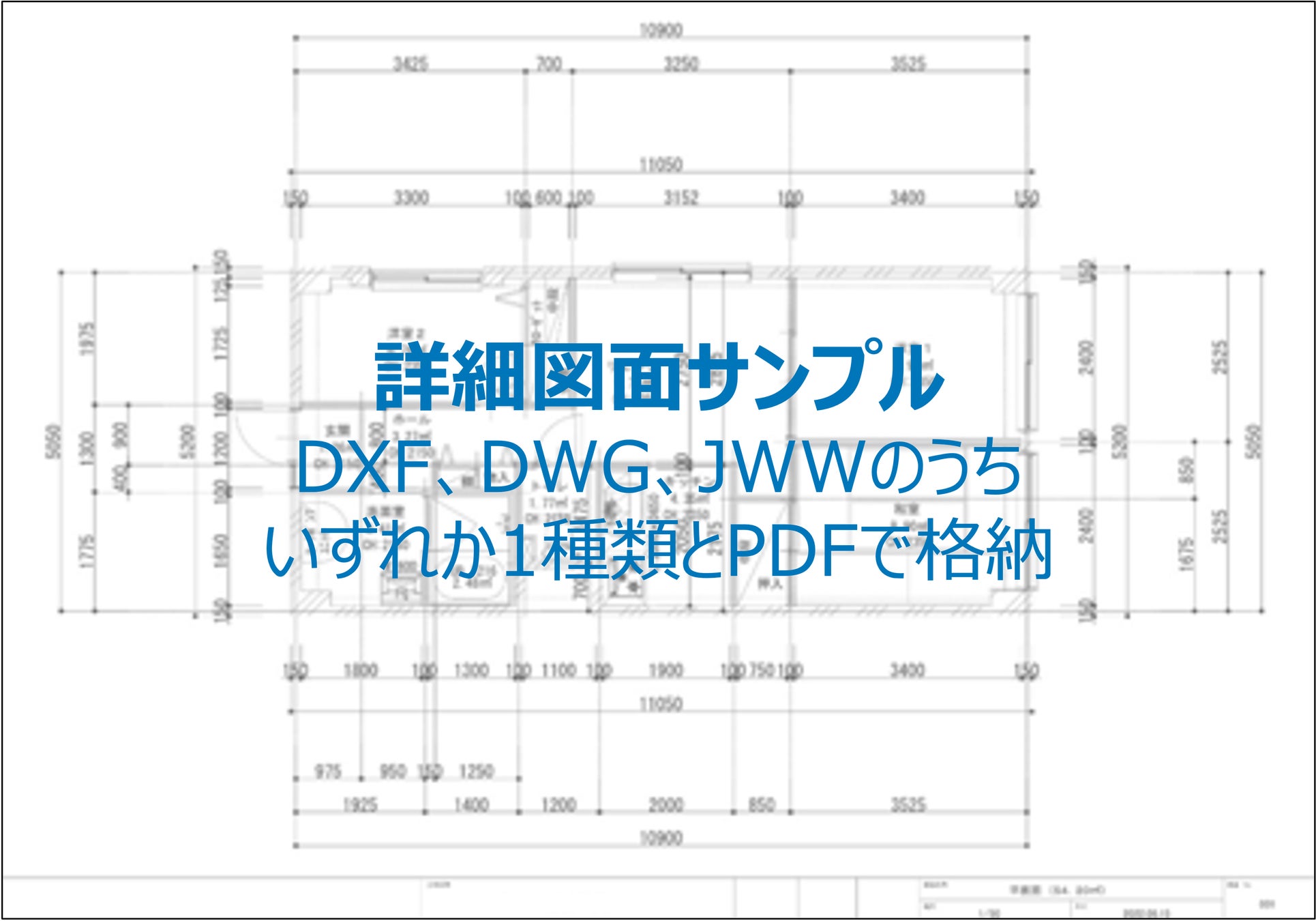
② Expansion of the CAD Drawing Creation Option Service
We have expanded the range of drawings available through our “CAD Drawing Creation Service,” which creates drawings from captured 3D models. Previously, the service was limited to floor plans for residential properties, but in response to customer requests, we can now also create drawings for spaces such as offices and retail stores, as well as elevations and ceiling plans.
・Supported 3D Models: Homes, Offices, Retail Stores
・Related drawings: Floor plans, elevations, and ceiling plans
③ Function to Export Measurement Data and Notes
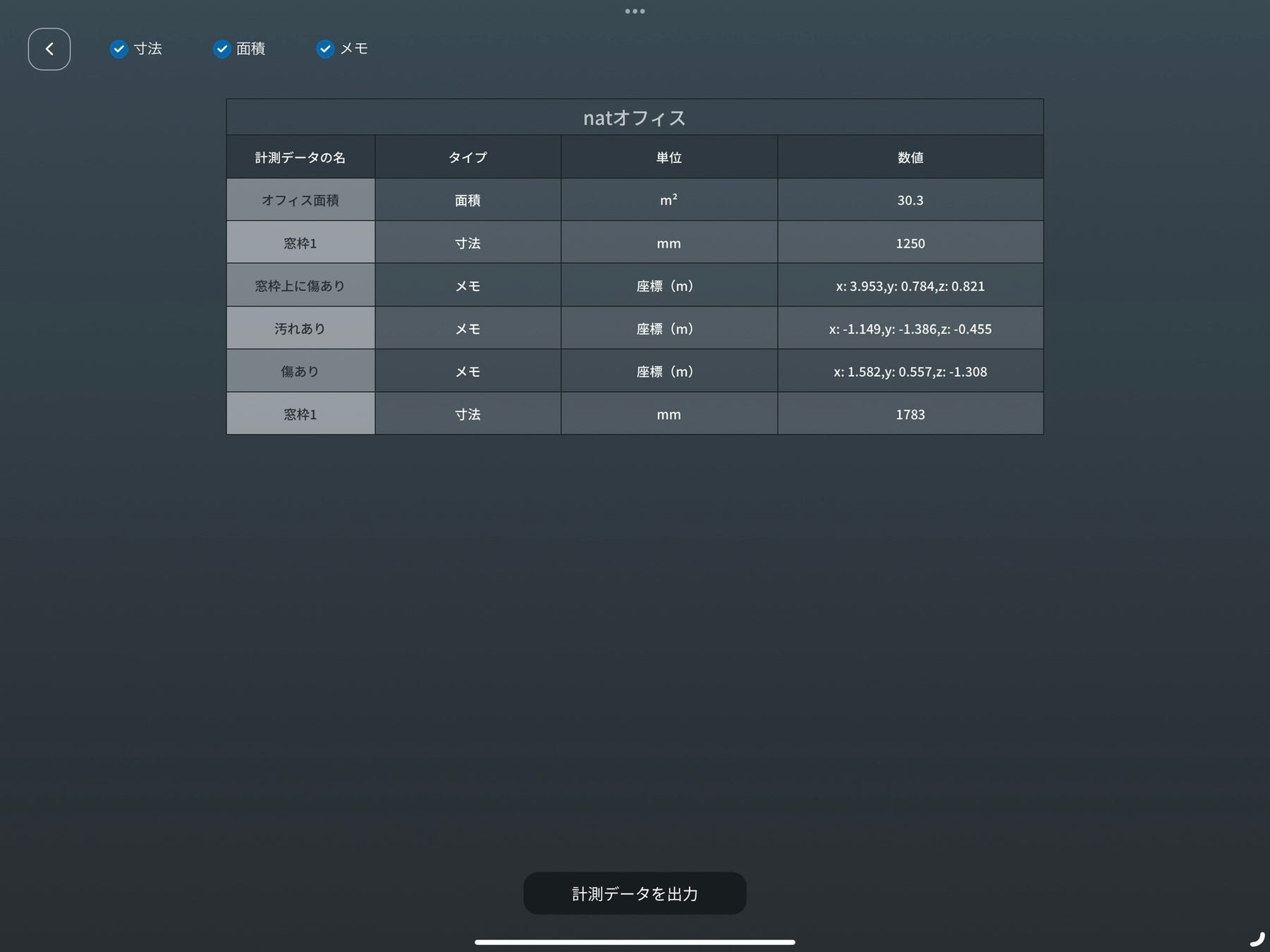
You can now instantly export dimensions, areas, and notes measured within a captured 3D model as a CSV file. This feature can be used to create estimates and reports, allowing you to quickly complete post-site survey tasks. Additionally, you can now customize the measured data—such as color-coding it or toggling its visibility—depending on your needs.
In addition, based on feedback we received from our customers, we have released the following new features.
・Enhanced app instructions: We’ve expanded the instructional content to make it easier to understand, even for first-time users.
・3D Model Information Entry: You can enter information such as addresses on the Model List screen*.
・View Mode Selection: You can choose from three modes: 3D Mode, Bird’s-Eye View Mode, and Interior View Mode.
・Centralized ID Management: You can set up accounts with administrator and user permissions and manage them—such as switching accounts—based on the worksite and time period. (For Corporate Plan customers only)
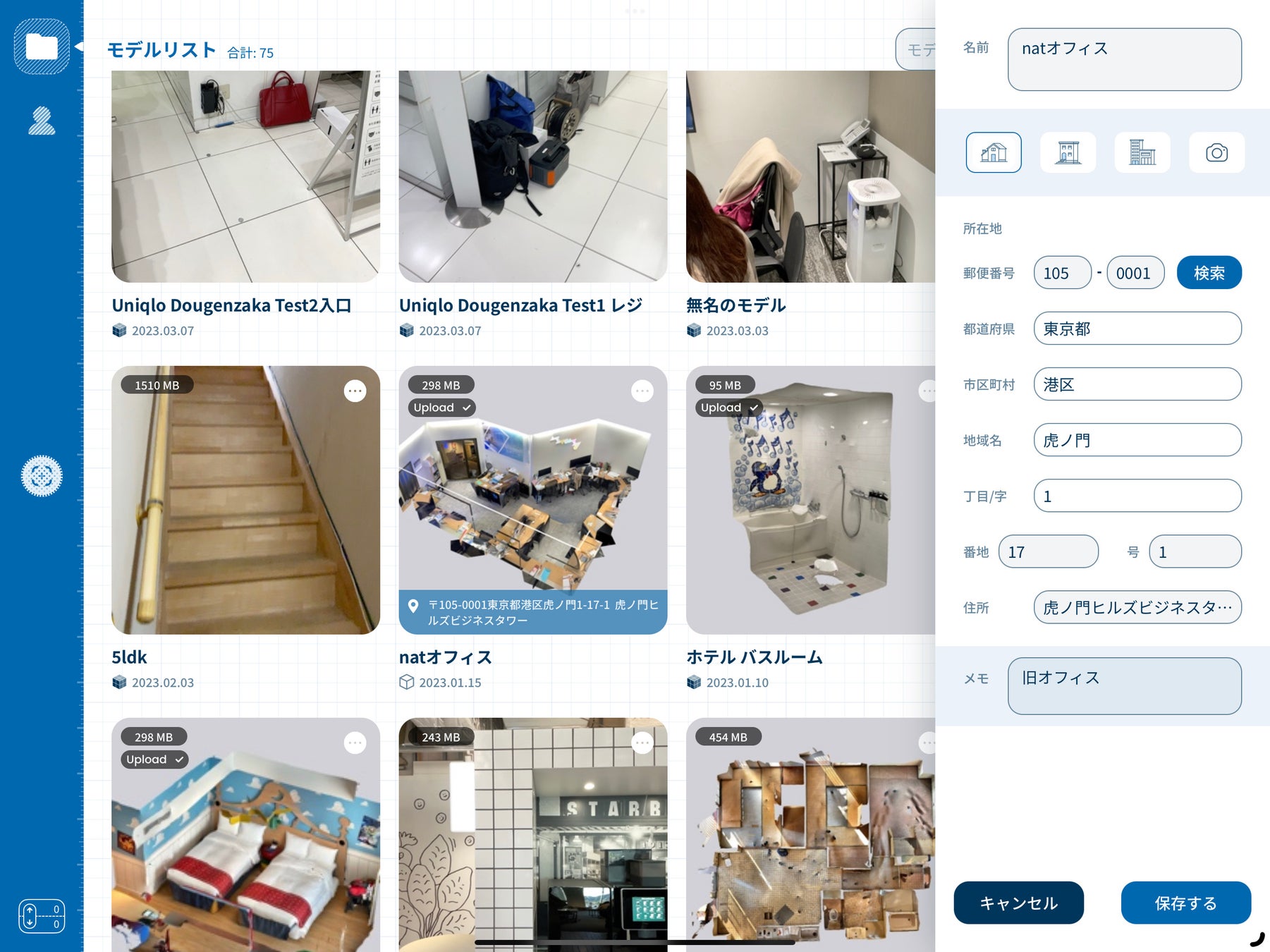
*Model List Screen: It's now even easier to manage site information within the app.
We will continue to work on improving our service and developing new features with the goal of making the app even easier to use and more helpful to you.
Contact:
Tel: 03-6822-8600
Email: nat
*The information contained in this press release is current as of the date of publication and is subject to change without notice.